The Bradley systems an online nursing student uses
Bradley University online nursing students work across a short list of systems: the Bradley Bound page to activate an account, a BUnetID to sign in, MyOnline for registration and clinical information, Canvas for courses, B-Mail for official messages and the Cullom-Davis Library for research. Clinical work adds Viewpoint Screening, DocuSign and Typhon.
Get your placement plan
Tell us your Bradley program and where you live. A placement advisor replies with the preceptor and site options that fit your course.
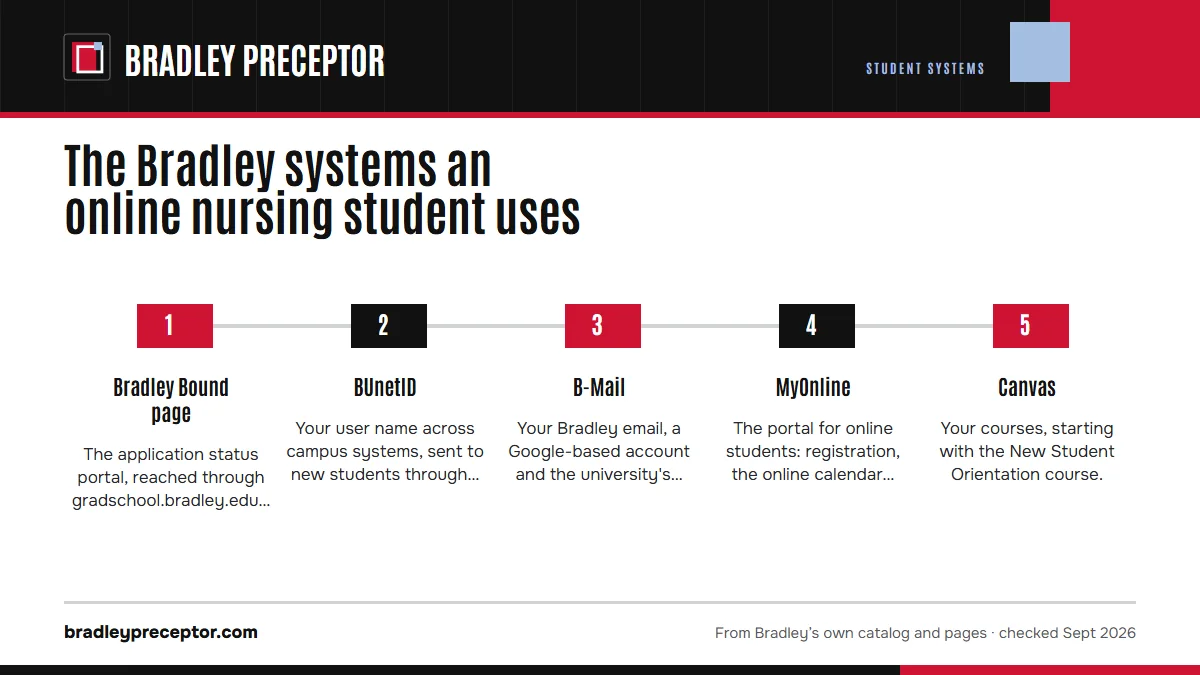
The order you meet them
Most of these arrive in a set order after admission, and the clinical systems come last. Knowing the sequence helps you spot when something that should have arrived has not.
- Bradley Bound pageThe application status portal, reached through gradschool.bradley.edu, holds your Post-Admission Checklist. Its Activate Bradley Account step sets up your BUnetID and Bradley email.
- BUnetIDYour user name across campus systems, sent to new students through Slate. Account activation and resets run through the Bradley Infrastructure Portal, with multi-factor sign-in on the RapidIdentity app.
- B-MailYour Bradley email, a Google-based account and the university's official channel to you.
- MyOnlineThe portal for online students: registration, the online calendar, your advisor, health requirements and clinical information.
- CanvasYour courses, starting with the New Student Orientation course.
- Viewpoint ScreeningClinical clearance, due by midterm of your first semester.
- DocuSign and TyphonPreceptor packets, then clinical logs, as your first practicum course comes near.
MyOnline: the tabs that matter for clinicals
MyOnline, at myonline.bradley.edu, is Bradley's portal for distance students; campus students use MyBradley, and the older MyBU has been retired. Bradley describes MyOnline as the home for your schedule, grades, academic calendar, financial services, faculty and staff contacts and required clinical information, with links to Canvas, B-Mail and the round-the-clock help desk.
The welcome sites list its tabs: Academic Advisor, Schedule, Classes/Grades, Financial Services, Health Requirements, Signature Confirmation(s), Clinicals, Tech Requirement(s), Personal Information, Photo & ID and Other Resources. For placement, the ones to know are Clinicals, Health Requirements and Photo & ID, since Bradley keeps the clinical guidelines, preceptor packet instructions and online academic calendar inside MyOnline.
Registration runs through MyOnline too. Online students are registered automatically each term from their program of study and then confirm enrollment under Financial Services; the welcome sites warn that unconfirmed classes are dropped at 12:00 p.m. CDT on the deadline. Dropping starts with your academic advisor and Student Financial Services, then the Drop Course Request Form under Classes/Grades.
Canvas and the orientation course
Canvas is Bradley's learning management system for every online course. Bradley's homepage and IT pages point to learn.bradley.edu, and the welcome sites also use the bradley.instructure.com address. Courses open at 8 a.m. CDT on the day they begin.
Your first Canvas course is New Student Orientation. It includes a Plagiarism Awareness module and quiz, and an unpassed quiz can put a hold on registration, so finish it in your first weeks. A few older Bradley orientation pages still mention Sakai, the previous system; treat those references as out of date.
Exams in Canvas can run through Respondus LockDown Browser and Monitor, the university's online proctoring service. Bradley's teaching technology office also lists Examity, Turnitin, Panopto, Zoom, Bongo and Qualtrics among its supported tools. No nursing page names the proctoring tool for each course, so read the syllabus before exam week and run any setup early.
B-Mail: where time-sensitive messages land
Bradley calls B-Mail its official method of communication with students. It is a Gmail-based account tied to your BUnetID, and the welcome sites also call it BUMail. For clinicals, it is the inbox to watch.
Two short windows depend on it. Typhon access details arrive there one or two weeks before your first clinical course, with 72 hours to open the account. And under the Graduate Clinical Requirements Policy, a notice about a missing clearance item gives you 24 hours to respond, so check B-Mail daily while your Viewpoint file is open.
Your account also brings Microsoft 365: the welcome sites say you can download Office from your Office 365 environment onto your own device.
The Cullom-Davis Library from a distance
The Cullom-Davis Library serves online students as well as campus ones. Its catalog search runs on Primo and reaches I-Share, and its Databases A-Z list sits on LibGuides, so most of what a practicum paper or DNP project needs is reachable from home.
For help, use Chat With a Librarian; for articles Bradley does not hold, request them through ILLiad interlibrary loan. The welcome sites name a Sciences/Health Sciences Librarian for nursing questions, the right person to ask about finding evidence for a DNP project or a clinical case write-up.
Interlibrary requests take time to fill, so place them early in a term when a paper or project is due near its end.
The people behind the systems
- Student Support Coach: your first point of contact for general questions, per the welcome sites.
- Academic advisor: a nursing faculty member who handles practicum questions and supervised clinical experiences.
- Office of Online and Distance Education: registration, preceptor packets and site coordination, onboarding, clinical agency and affiliation agreements, and health requirements in Viewpoint.
- 24/7 Helpdesk: technical help at any hour, Canvas problems included, through the MyOnline Support Portal by chat, web form or email.
- IT Service Desk: the Division of Information Technology's main point of contact, on the first floor of the Cullom-Davis Library, with a knowledge base at support.bradley.edu.
- Office of Student Access Services: accommodations, with intake meetings that can be held remotely for online students.
Every system at a glance
| System | What you use it for | When it starts |
|---|---|---|
| Bradley Bound page | Post-Admission Checklist, account activation | Right after admission |
| BUnetID | Sign-in for Bradley systems | At activation |
| B-Mail | Official Bradley messages | At activation |
| MyOnline | Registration, online calendar, clinical information, Photo & ID | First term |
| Canvas | Courses and orientation | 8 a.m. CDT on each course's first day |
| Viewpoint Screening | Clearance: background check, drug screen, immunizations, physical, insurance | Due by midterm of the first semester |
| DocuSign | Preceptor packets | By midterm of the semester before each clinical course |
| Typhon | Clinical hours and patient data | Access one or two weeks before the first clinical course |
| Cullom-Davis Library | Research, databases, interlibrary loan | Any time |
| Respondus | Proctored exams in Canvas | When a course uses it |
Each clinical system has its own guide: Viewpoint Screening, the preceptor packet and Typhon. Term dates are on the semester calendar page.
Why Bradley students choose us alongside these systems
Bradley's systems record what you submit; the placement desk supplies what goes into them. We find the preceptor and site, gather the details the DocuSign packet asks for, and time the work to the dates in MyOnline, so the packet goes in complete before midterm and your Typhon records are ready for your first clinical day.
If your first practicum is approaching and every system is ready except the preceptor, drop your course and location into the form at the top of this page. We also plan the next course's placement before the current one ends, so each new packet goes in on time.
Questions Bradley students ask
What is the difference between MyOnline and MyBradley?
MyOnline is the portal for Bradley's distance students, covering registration, the online calendar and clinical information. MyBradley serves on-campus students. The older MyBU was taken out of service, and its retirement notice sends distance students to MyOnline. Some older Bradley pages still mention MyBU; treat those references as out of date.
Where is the online academic calendar?
Inside MyOnline, which only enrolled students can open; Bradley's welcome sites point online students there. The public catalog carries the university's 2026-27 calendar, but Bradley does not say the online 7-week terms follow those dates exactly, so use MyOnline for your own term.
Do I register for my own courses?
Not in the usual way. Bradley registers online students automatically each term from their program of study. Your job is to confirm enrollment in MyOnline under Financial Services by the posted deadline; classes left unconfirmed are dropped at noon CDT that day.
Which proctoring software do Bradley nursing courses use?
Bradley's university-wide online proctoring service is Respondus LockDown Browser and Monitor inside Canvas, and its teaching technology office also lists Examity. No nursing page names the tool for each course, so check the syllabus and complete any setup before the exam window opens.
Should a clinical question go to my coach or my advisor?
Bradley's welcome sites make the Student Support Coach your first point of contact for general questions, while your academic advisor, a nursing faculty member, handles practicum and supervised clinical questions. Packets, agreements and Viewpoint issues go to the Office of Online and Distance Education.
Related pages
Last checked 2026-09-25
We check these pages against Bradley's own catalog, online program pages and Graduate Student Handbook. Your clinical packet, course faculty and academic advisor have the final word.
Bradley lets you choose your preceptors. We find the ones worth choosing.
Tell us your Bradley track, your city and your next practicum course. We line up preceptors who fit the NUR course and gather the license, CV and malpractice details the DocuSign packet asks for, well before the midterm of the semester before you start.
- Preceptors matched to the course: primary care for FNP and AGPCNP, acute care teams for AGACNP, mental health settings for PMHNP
- Preceptor license, CV, malpractice coverage and the site address ready for the packet
- Every practicum in your sequence planned together, close to home in your approved state
Start your placement plan
Track, city and next practicum is all we need to begin.